Appearance
Fill-in-the-Blanks Editor
Use Fill in the Blanks when students should complete a sentence by dragging words into missing positions. It is best for sentence completion, grammar patterns, and contextual vocabulary practice.
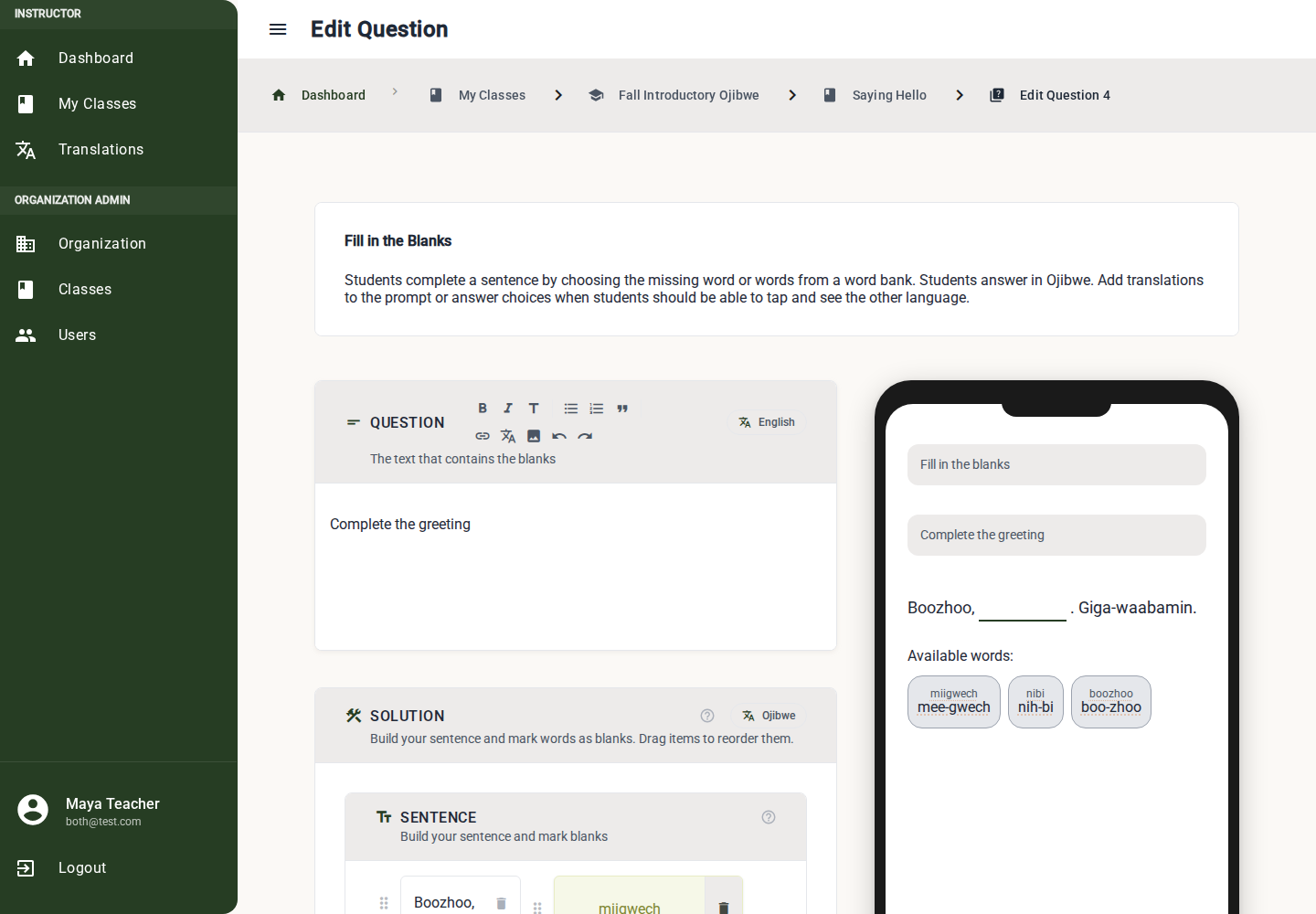
Build a Fill-in-the-Blanks Question
1. Write the Prompt
Use the rich text Question editor for instructions or context.
Example: "Fill in the missing word."
2. Build the Full Sentence
Use the solution builder to create the complete sentence before deciding which words become blanks.
Add each word or phrase in the sentence area. Link translations when answer translations are enabled.
3. Mark Missing Words
Turn the words students should supply into blanks. A blank appears in the sentence, and the answer word becomes part of the word bank.
Use blanks for meaningful choices, not every word. Too many blanks can make the sentence hard to read.
4. Add Word-Bank Distractors
Add extra word-bank items when you want students to choose between plausible answers.
Good distractors:
- Match the same part of speech.
- Are words the student has already seen.
- Are not so similar that the question becomes a spelling trap.
5. Assign Correct Answers
Each blank must have at least one correct word-bank answer. If a blank can accept more than one answer, configure each correct word-bank item for that blank.
6. Review the Preview
Students drag the correct word-bank item into each blank to complete the sentence. Use the preview to check the sentence still makes sense with blanks removed.
Drag and Drop Details
- Drag words and blanks in the sentence area to reorder them.
- Drag or configure word-bank items so each blank has the correct answer.
- Keep punctuation as plain text or N/A so students do not need to translate it.
What Must Be Complete
Before publishing, the editor checks:
- Prompt text is present.
- At least one blank exists.
- Every blank has a correct word-bank answer.
- The word bank is not empty.
- Required sentence and word-bank translations are linked or marked No translation needed (N/A).
Best Practices
- Start with one blank per sentence for early learners.
- Use two or three blanks only when the surrounding context is strong.
- Keep the prompt short; the sentence itself carries most of the task.
- Avoid blanks that can be answered correctly in many unintended ways.