Appearance
Build Sentence Editor
Use Build Sentence when students should arrange words into the correct order. It is best for word order, sentence structure, and moving from vocabulary recognition into language production.
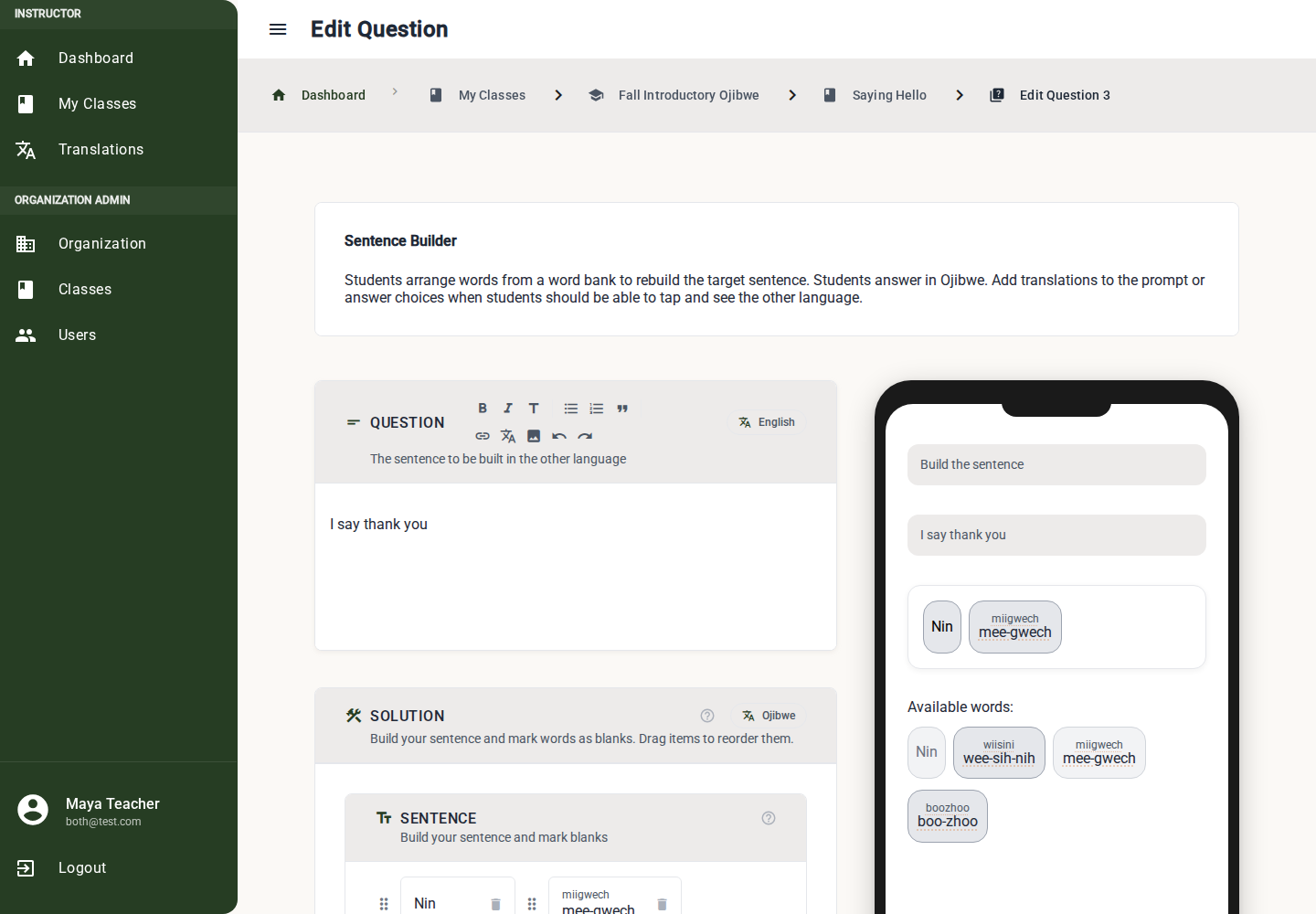
Build a Sentence Question
1. Write the Prompt
Use the rich text Question editor for instructions or context.
Example: "Arrange these words into a sentence."
2. Add Words to the Word Bank
Add every word students may choose from. Include both the words in the correct sentence and any distractors.
Use translation suggestions or Browse Translations to link each word when answer translations are enabled.
3. Build the Target Solution
Move the correct words into the sentence area in the exact order students should produce.
Only words in the target solution are required for the correct answer. Distractors stay in the word bank.
4. Reorder or Remove Words
Drag words inside the sentence area to reorder them. Remove a word from the target solution if it should return to the word bank.
5. Review the Preview
Students drag words from the word bank into the correct order. Use the preview to check that the target sentence and available words are clear.
Difficulty
The editor estimates difficulty from the number of extra words.
| Difficulty | Extra Words Ratio | Use it for |
|---|---|---|
| Easy | 0-20% extra words | First practice with a sentence pattern. |
| Medium | 20-50% extra words | Review after students know the words. |
| Hard | 50%+ extra words | Challenge or assessment. |
What Must Be Complete
Before publishing, the editor checks:
- Prompt text is present.
- The target solution is not empty.
- The word bank has at least one item.
- Target solution uses words from the word bank.
- Required word-bank translations are linked or marked No translation needed (N/A).
Best Practices
- Keep first exercises short: three to five words is often enough.
- Add distractors gradually.
- Avoid distractors that create another correct sentence unless that is intentional.
- Use this after Multiple Choice or Type Answer so students have already seen the words.